Welcome to Starv Forge

Starv Forge is your AI-powered marketing co-pilot. Our platform is designed for entrepreneurs, agencies, and content creators who need to generate coherent, high-converting marketing strategies in seconds, not hours.

Multi-Channel Campaigns

Generate complete strategies (Instagram, Ads, Email, WhatsApp) with a single click, maintaining coherence across all channels.

Centralized Management

Organize all your content into projects and campaigns. Access your history and refine your results easily.

First Steps

Getting Started with Starv Forge

1

Set Up Your Profile

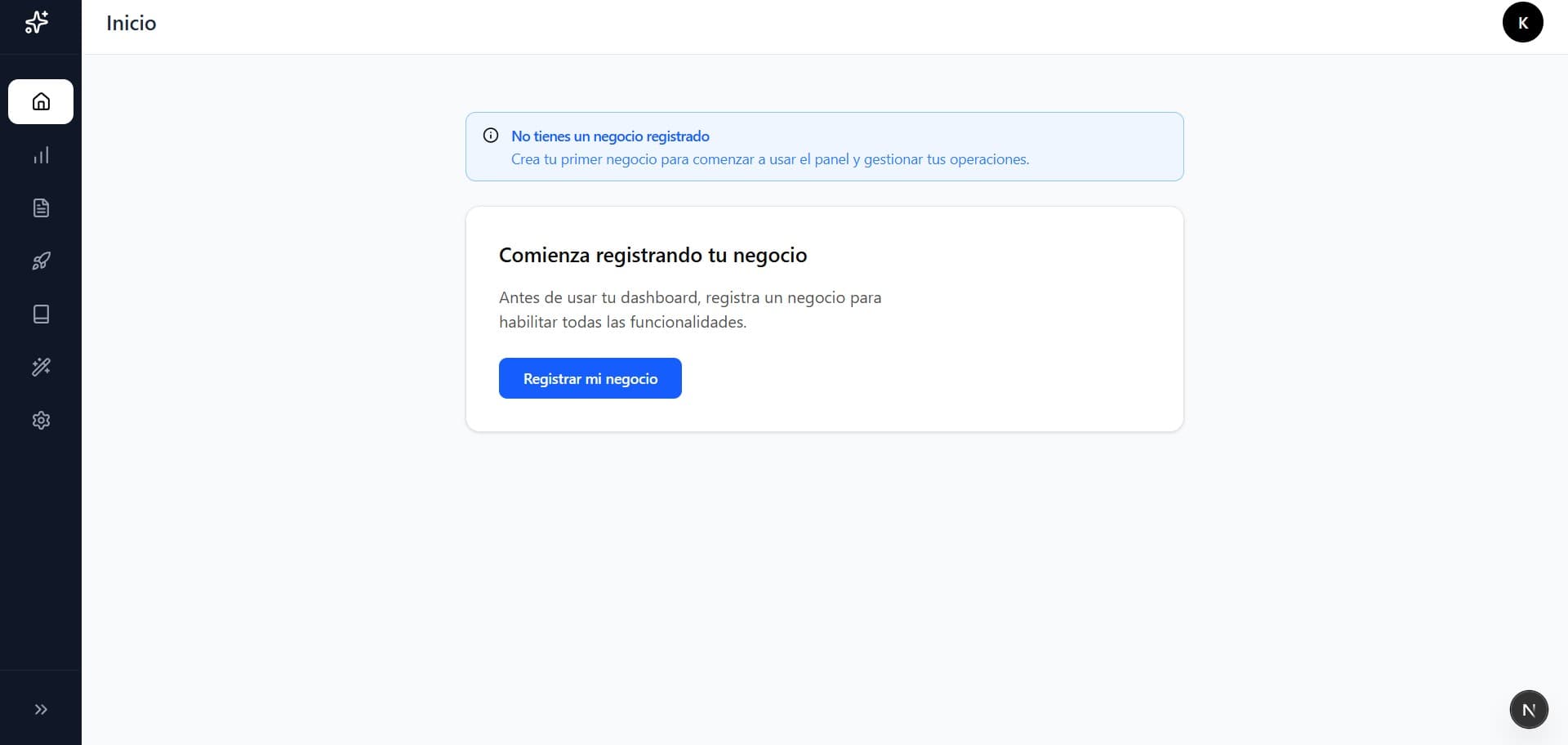
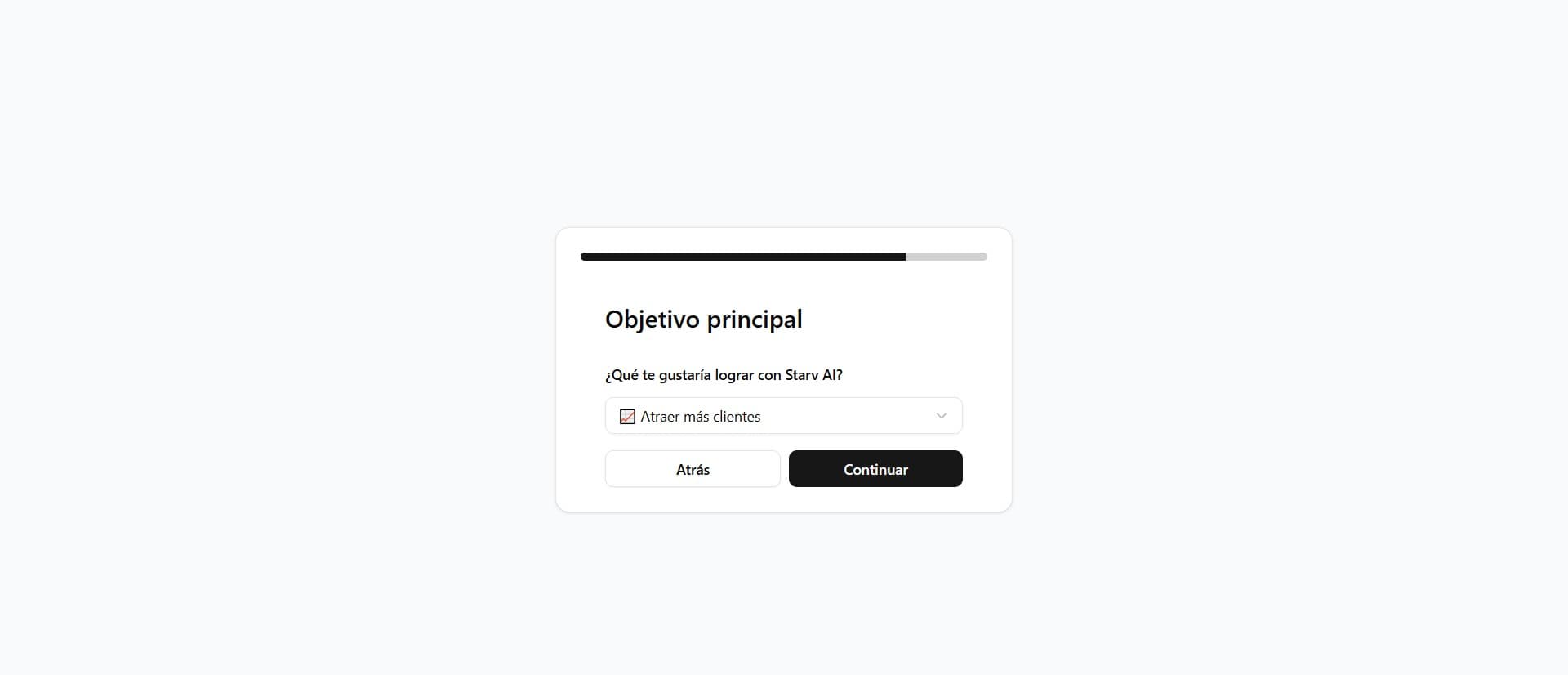
Before generating content, make sure your business profile is complete. Starv Forge uses this information (business name, target audience, niche, etc.) to personalize every generation.

2

Select a Tool

Navigate to the Dashboard and choose between generating a Full Campaign or using individual tools like Instagram Captions or WhatsApp Scripts.

3

Generate and Refine

Enter the details of your product or service. The AI will generate proposals that you can edit, copy, or save to your library.

First Steps

Initial Dashboard

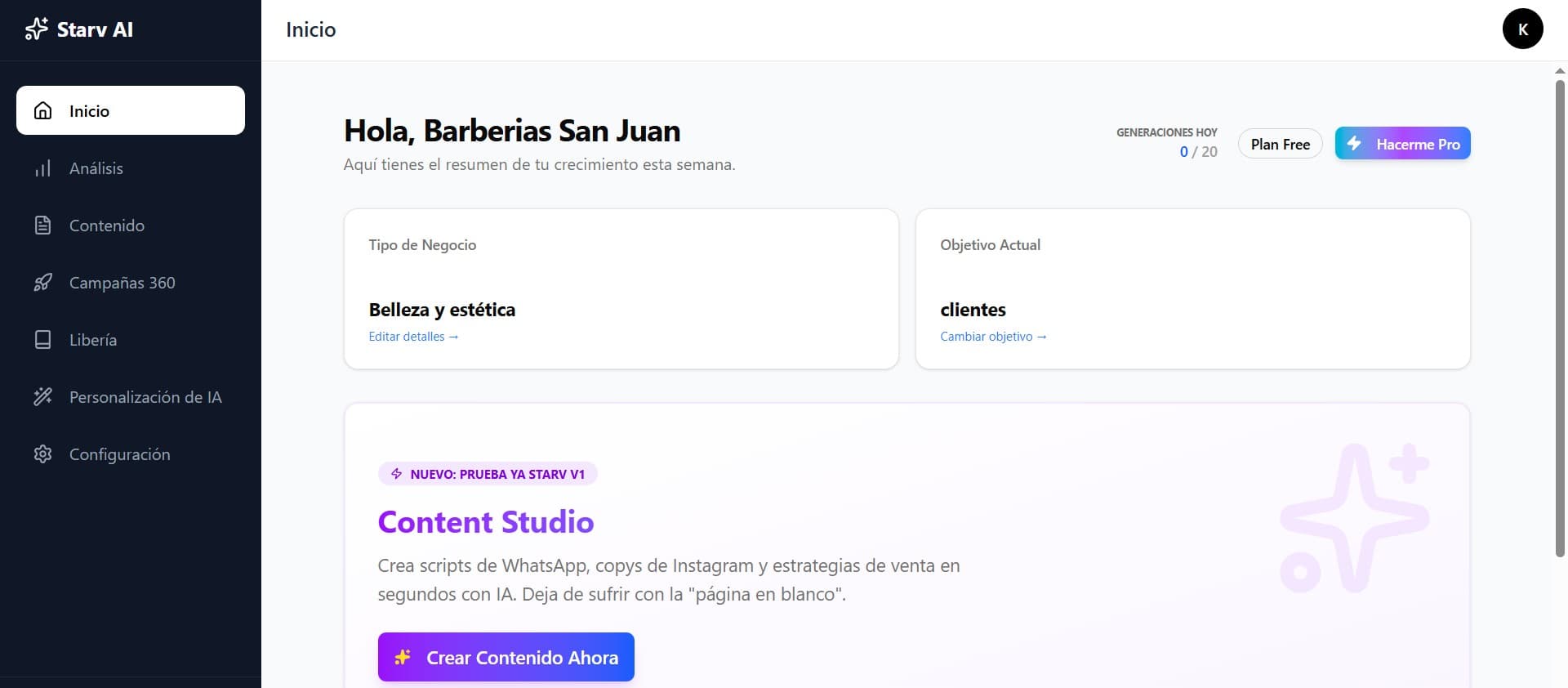
Your command center. Upon logging in, you'll land here. The Dashboard is designed to give you a quick overview of your account status and immediate access to creation.

Quick Actions

Shortcut buttons to create a new campaign or go to frequent tools without navigating the menu.

Credits Status

Visualize how many credits you have left this week and when they renew.

Dashboard

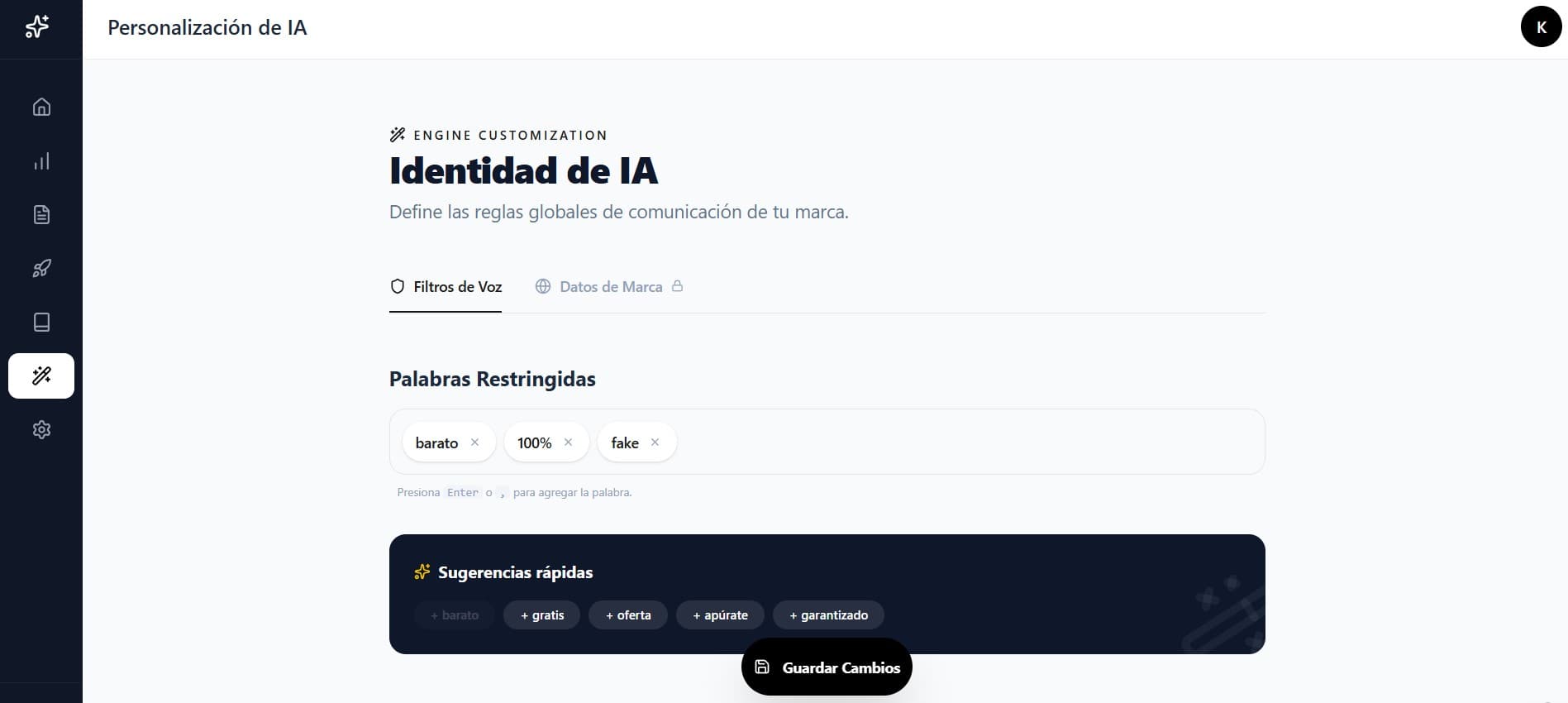
AI Personalization

Crucial Configuration

If you want more specific responses, you can personalize Starv Forge to meet certain parameters.

  • Restricted WordsDefine words you don't want to appear in the generated content.
  • Brand DataSet a website, a 'global signature', and social networks that will appear in the generated content.
  • Custom CTAChoose a call to action (CTA) button for your content.
AI Personalization

Campaigns

Star Feature

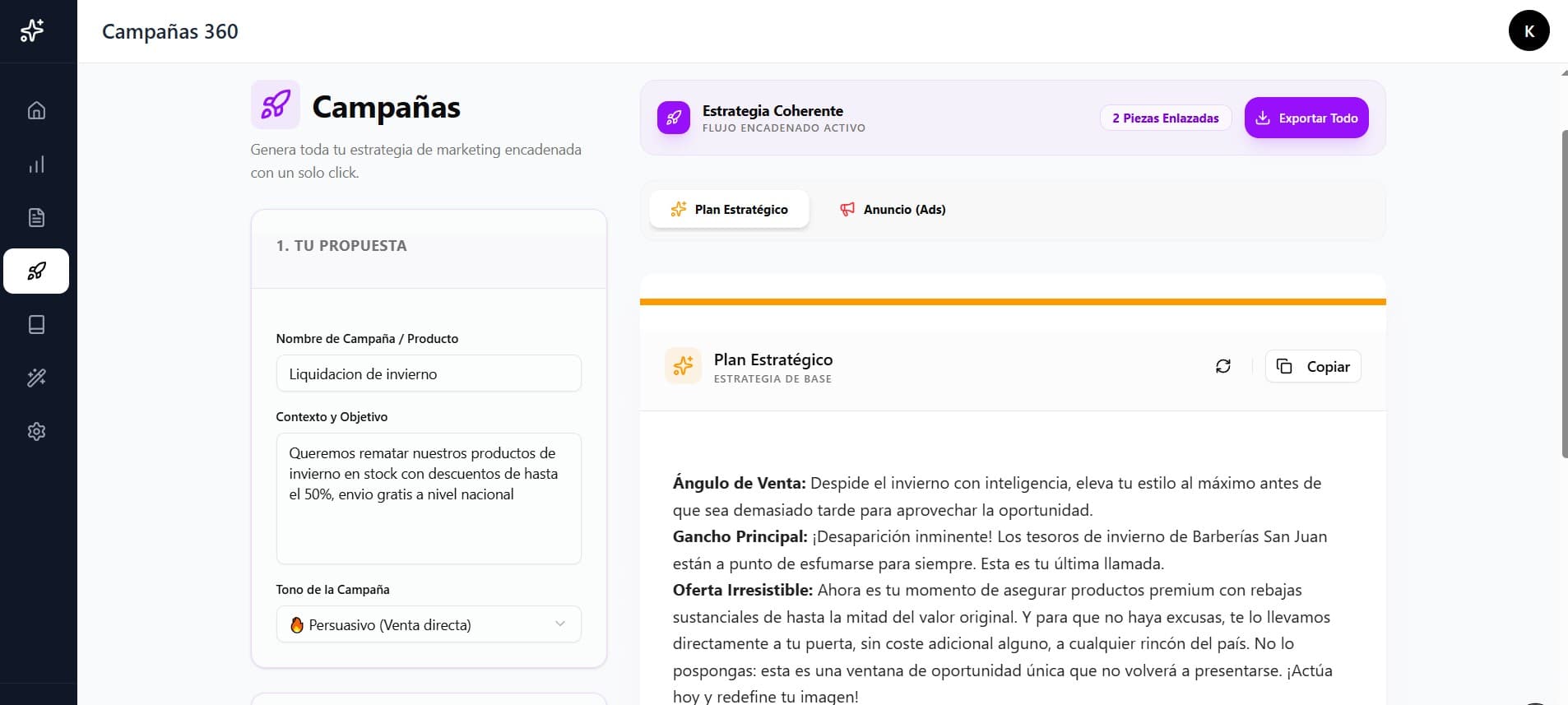
The crown jewel of Starv Forge. This tool allows you to create a complete launch strategy by entering only your product name and a brief description.

Starv Forge will help you create a complete launch strategy by entering only your product name, a brief description, and choosing a response tone. You can choose from 5 tools; credits spent will depend on the number of tools you choose.

Starv will soon have more tools for your campaigns.

What's included in a campaign?
Strategic Plan & Sales Angles
Persuasive Product Sheet
Instagram Post (Caption + Hashtags)
Facebook/Instagram Ads
WhatsApp Closing Script
Campaigns

Tip: Cascade Regeneration

If you edit an initial piece (like the Strategic Plan), all following pieces (Instagram, Ads...) can be automatically regenerated to adapt to the new changes, maintaining total coherence.

Image Creation

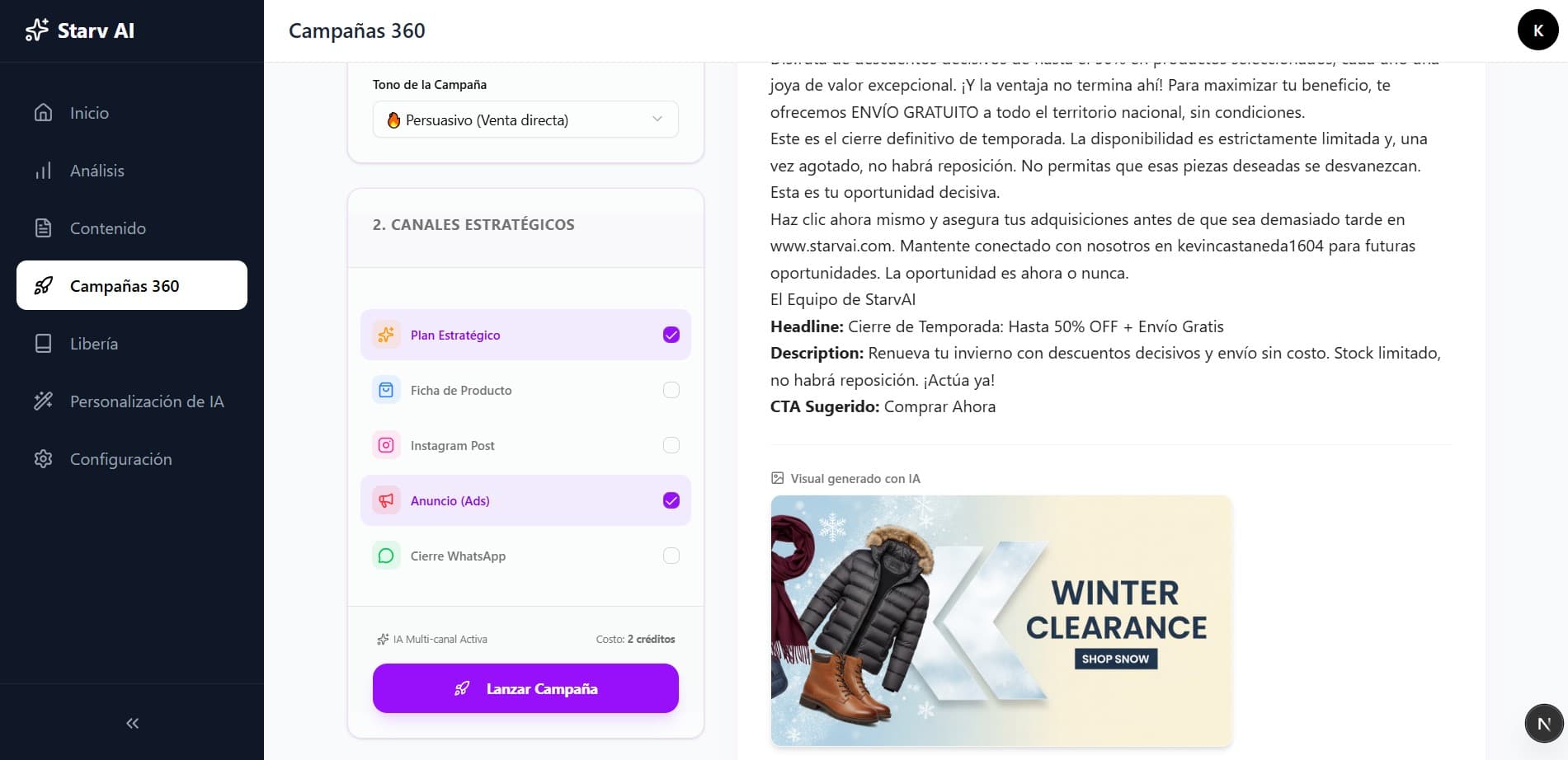
Starv Forge can create images for your products and services. Images are created based on the content generated for the campaign. Elements like Instagram Captions, Product Descriptions, and Ad Copy are capable of generating relevant images for your products.

This is an example of an Ad image for a physical store that wants to clear its winter products due to the arrival of summer.

Campaign Image Example

Campaign Export

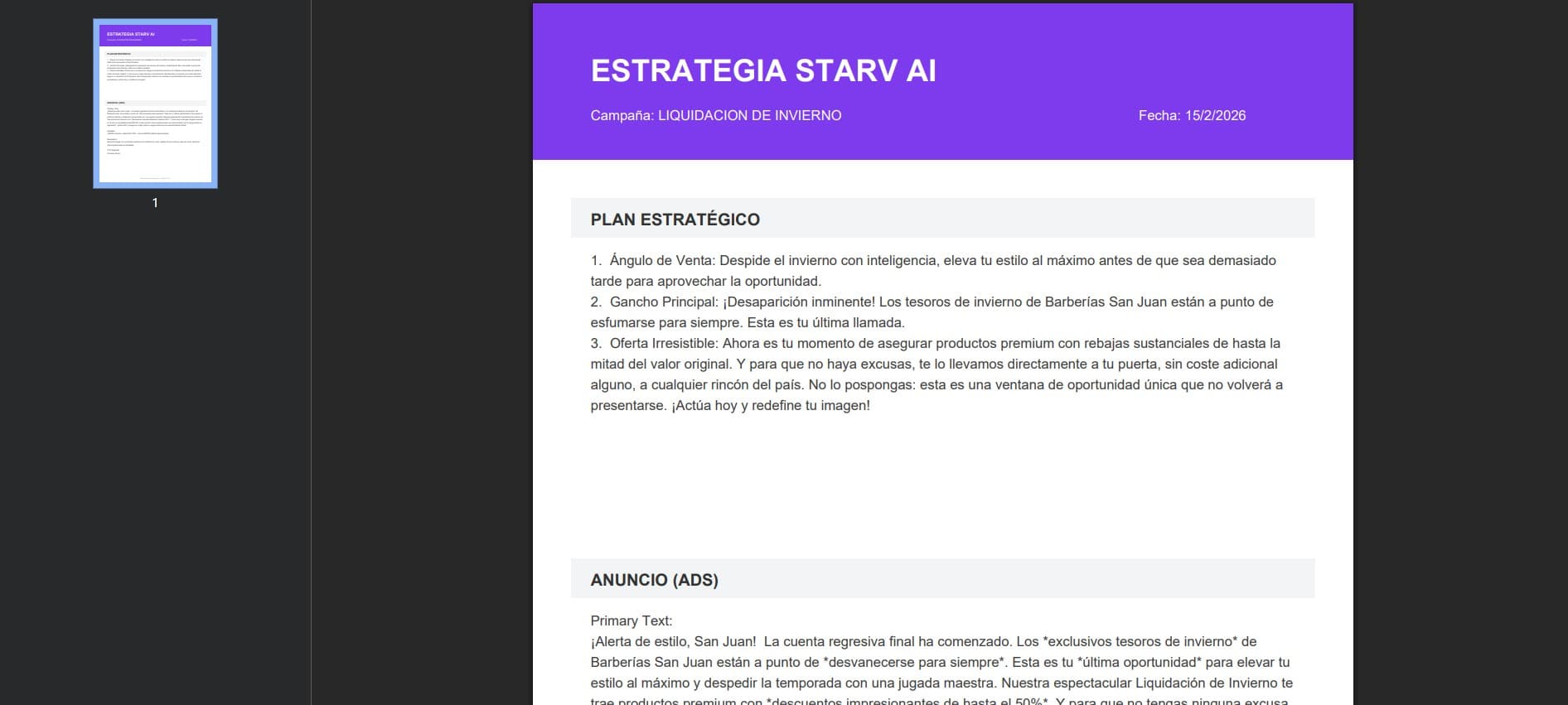
You can save all your campaign information in a .pdf file to share with your team or clients.

This is an example of a campaign exported to .pdf:

PDF Export

Content Tools

If you don't need a full campaign, use individual tools for specific tasks. Each is trained with specialized models to ensure high-converting results.

Brainstorming
Generate infinite ideas for your content.
Instagram Captions
Captions and posts optimized for the Instagram algorithm.
Product Description
Improve your product description in seconds with persuasive copywriting.
WhatsApp Script
Write your customer's message and Starv will tell you exactly how to respond.
Ad Copy
High-impact texts for your paid campaigns on Meta and Google.
Email Sequence
Strategies to recover lost carts or reactivate inactive customers.
DM & Comment Replies
Generate replies to DMs and comments on your social networks using AI.
Text Improvements
Improve your catalog texts to sound more professional.
Much more
New tools will be added soon to power up your brand.

Starv Forge will evolve with you

We are constantly integrating new language models (LLMs) and Prompt Engineering techniques so your texts not only sound human but sell like an expert.

How to use the tools?

Step 1

Define the context

Briefly describe what you are selling or what you want to achieve. The more detail you give, the better the result.

Step 2

Choose the tone

Do you want to sound funny, professional, or urgent? Adapt the AI's voice to your brand identity.

Step 3

Generate and Refine

Click generate and get multiple variants. You can edit them directly or save them to your library.
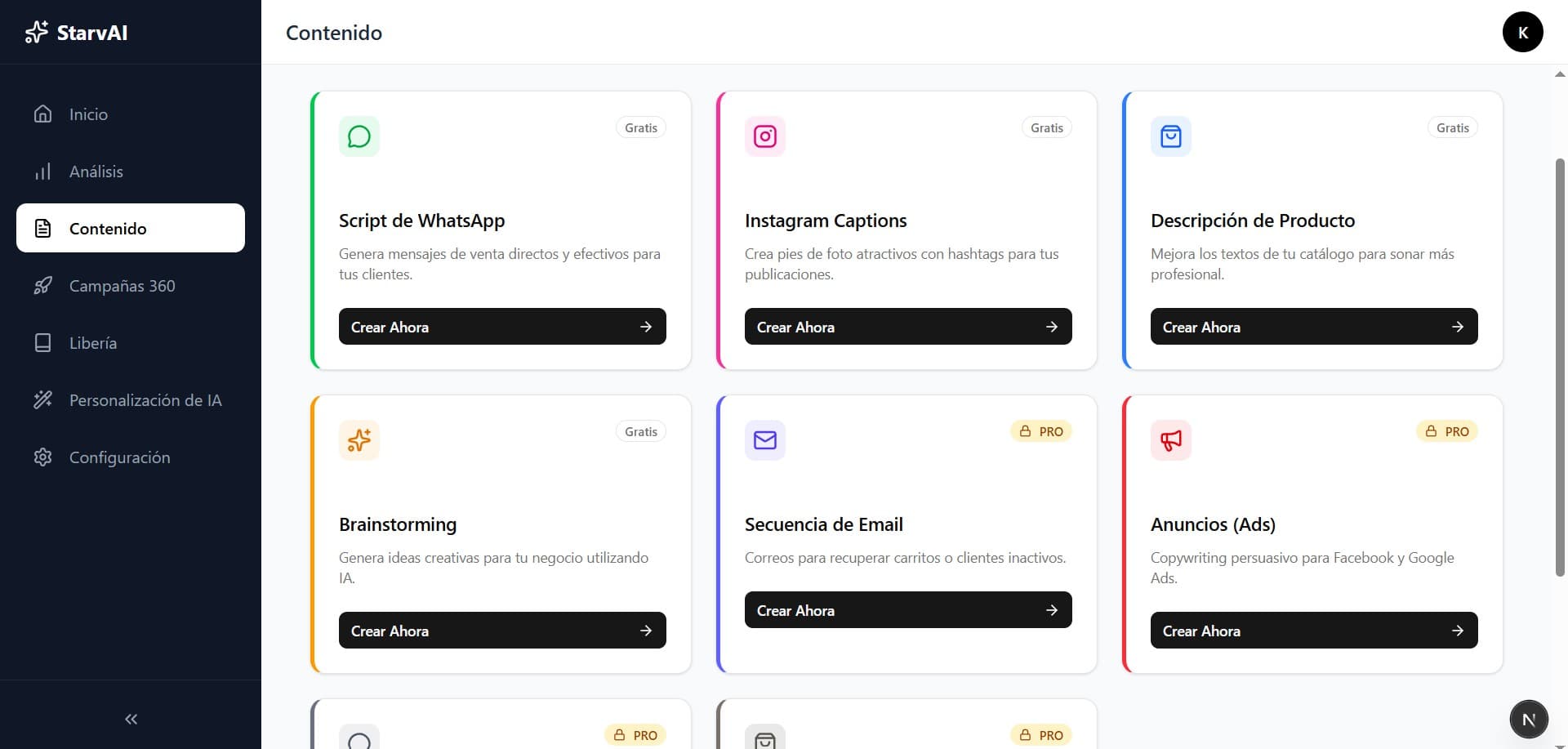
Tools View

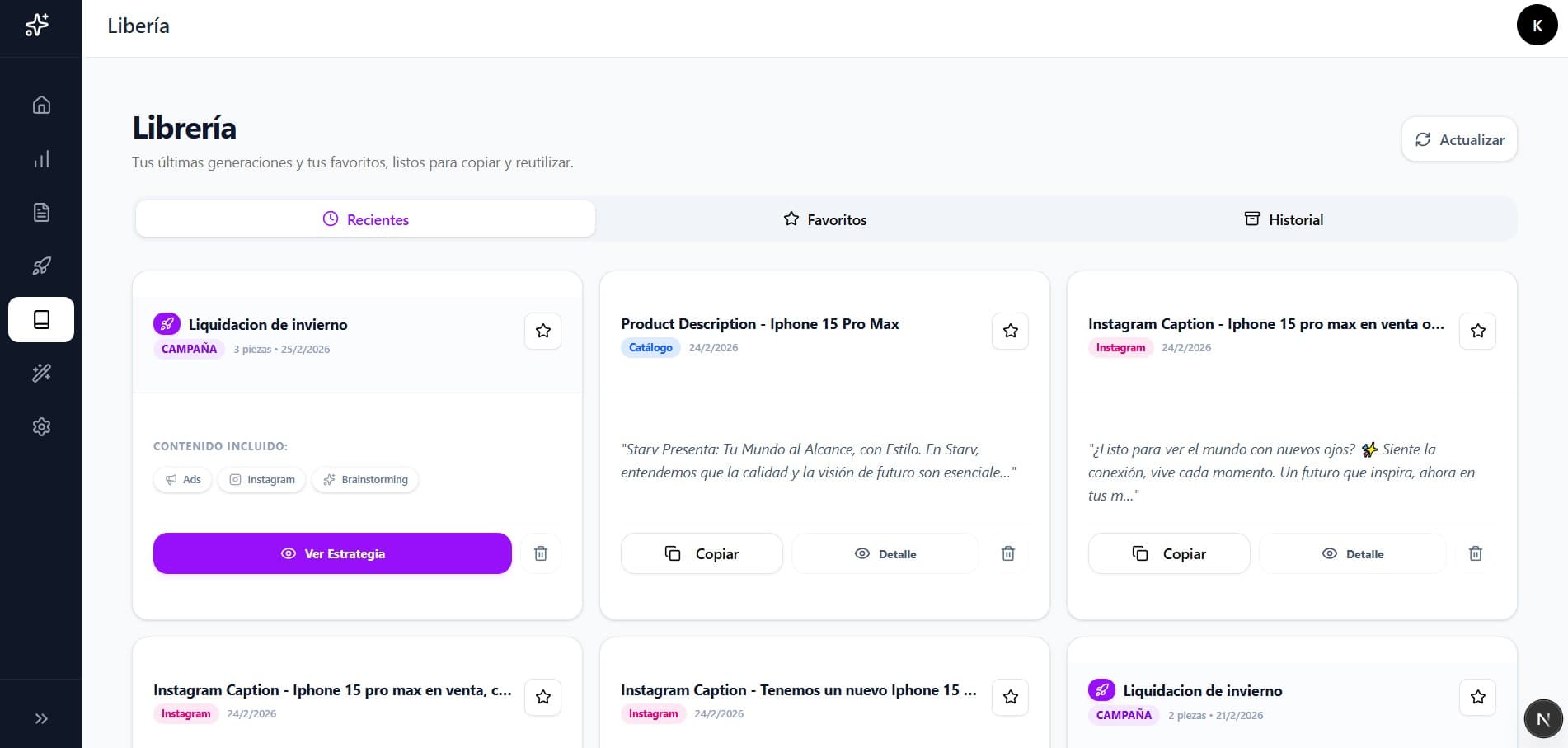
Your Content Vault

The Library is where all your intellectual property generated with Starv Forge lives. It's not just a history; it's an asset for your business where you can reuse and improve your best strategies.

Smart Filters

Organize your creations by tool type, date, or client. Ideal if you manage multiple brands.

Dynamic Editing

Any change you make to a saved text is automatically synced in the cloud.

Application Status

Mark your content as 'Published' or 'Scheduled' to keep visual control of your workflow.

Why use the Library?

  • ✅ Never run out of ideas again.
  • ✅ Recover old campaigns and give them a new spin.
  • ✅ Keep a history of what has worked best for you.
Library View

Metrics and Growth

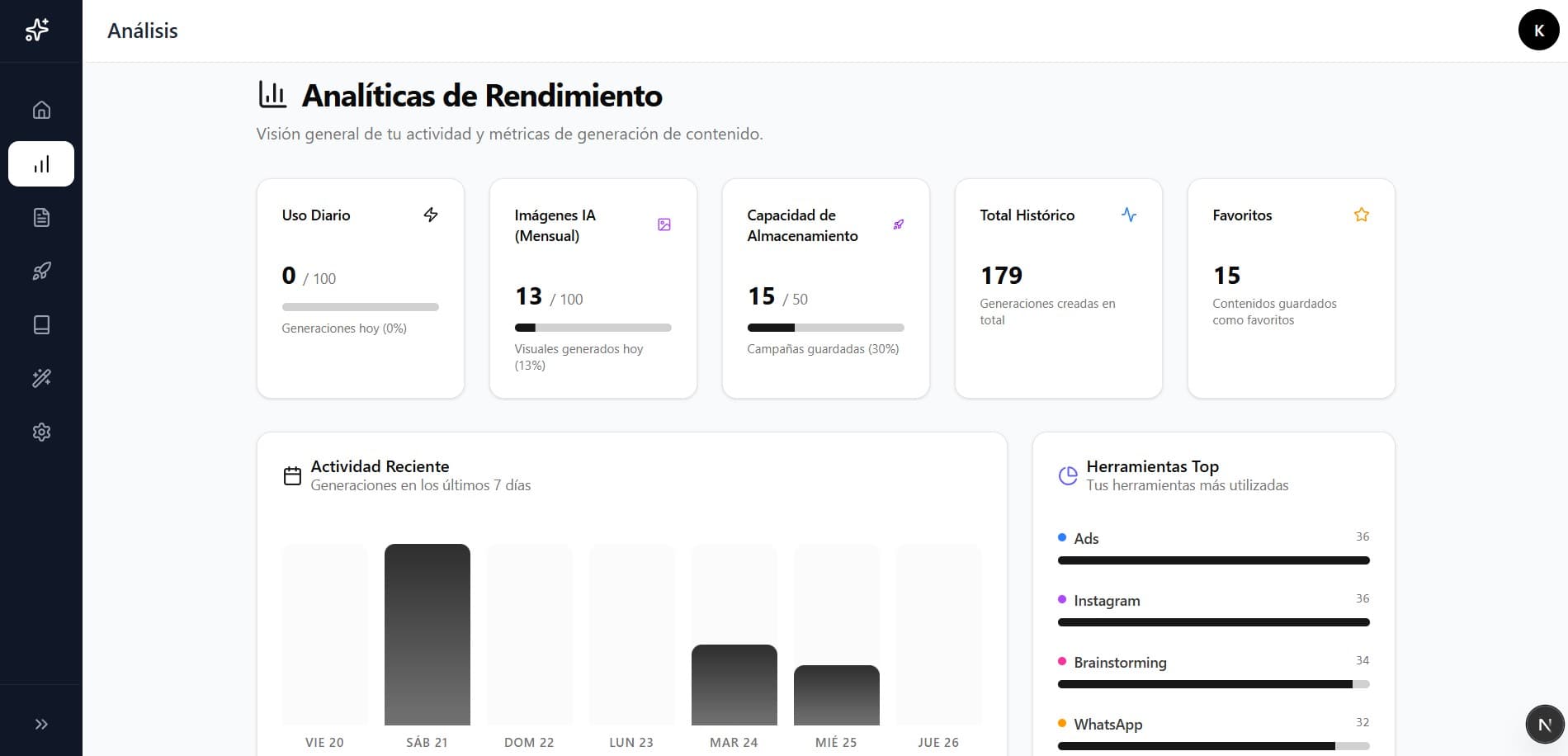
What is not measured cannot be improved. Starv Forge offers you a control panel to visualize the real impact of AI on your daily productivity.

Visual Productivity

Visualize graphs of how much content you are generating weekly and which categories are most used in your business.

Estimated Savings

We calculate how many hours of manual work Starv Forge has saved you based on the complexity of the generated campaigns.

Coming Soon: Sentiment Analysis

Soon you'll be able to know how persuasive or emotional your text is before publishing it, ensuring it connects with your audience.

Analytics View

How do Credits work?

Credits are the currency of Starv Forge. Each action you take consumes a specific amount of credits, designed so you can scale according to your needs.

Credit Consumption

Individual Tool (Caption, Ads...)1 Credit
Full Campaign (Star Feature)5 Credits
Piece Regeneration1 Credit

Image Generation

Image generation is an exclusive feature for paid plan users.

Pro Plan50 Images / month
Deluxe Plan100 Images / month

* Image credits renew monthly and are independent of weekly generation credits.

Weekly Renewal

Your text generation credits (text, captions, campaigns) reset automatically every 24 hours.

Do they accumulate?

No. Weekly credits are not cumulative. If you don't use them this week, they will be lost when renewed next week. Take advantage of every generation to iterate on your brand!

🚀 Expert Tip

"Use your weekly credits to test different sales angles each week."

Essential PlanBasic
Perfect for initial validation.
20 Credits / week

No AI images

Pro PlanPopular
Create content like a professional agency.
100 Credits / week

Includes 50 Images / month

Deluxe PlanEnterprise
Massive scaling for high-traffic agencies.
200 Credits / week

Includes 100 Images / month

Support and Contact

Do you have any questions or need personalized assistance? Our team is here to help. Feel free to contact us through our official channels.

Customer Service
Specialized attention according to your needs.
Technical Support[email protected]
Sales Inquiries[email protected]
LinkedIn
Professional community.

Join our professional community on LinkedIn for news, marketing tips, and the latest disruptive news from Starv Forge.

Visit Professional Page